In this article
A clearer accessory order
A replacement pad, a missing cable and an accessory kit create three different shopping questions. Before choosing one, make a short record of the device you own, the parts you want to keep and the part you need. That record gives a product question a useful starting point.
The key check: confirm the complete combination of control unit, lead and accessory. For charging equipment, confirm the separate charging requirements. A familiar brand name or a connector that looks similar is not a complete compatibility answer.
Start with the part you want to replace
Write down the task before comparing products. “I need TENS accessories” is broad. “I need replacement pads for this unit and want to keep this lead” identifies both the new item and the existing parts that matter.
- Replacing pads: record the control unit and the lead you plan to keep. Check the pad connection, size and current pack contents rather than ordering from the photograph alone.
- Replacing a missing cable: say whether you mean the charging cable or the lead connecting the unit to an electrode accessory. If you cannot identify it, describe where the missing item belonged instead of guessing its name.
- Considering a kit: list the individual accessories you expect to use. Ask which work with your exact unit and what else the selected package includes. A larger assortment does not resolve those questions automatically.
Keep an existing order confirmation or model label nearby. Similar model names can be easy to mix up, especially when you are buying for someone else or comparing several product tabs.
Make one record for the whole setup
Use this worksheet to separate what you can identify from what still needs confirmation. Copy visible wording exactly. If a label is unclear, mark it unreadable; an uncertain model name is more useful than a confident guess.
| Item | Record what you have | Question to resolve |
|---|---|---|
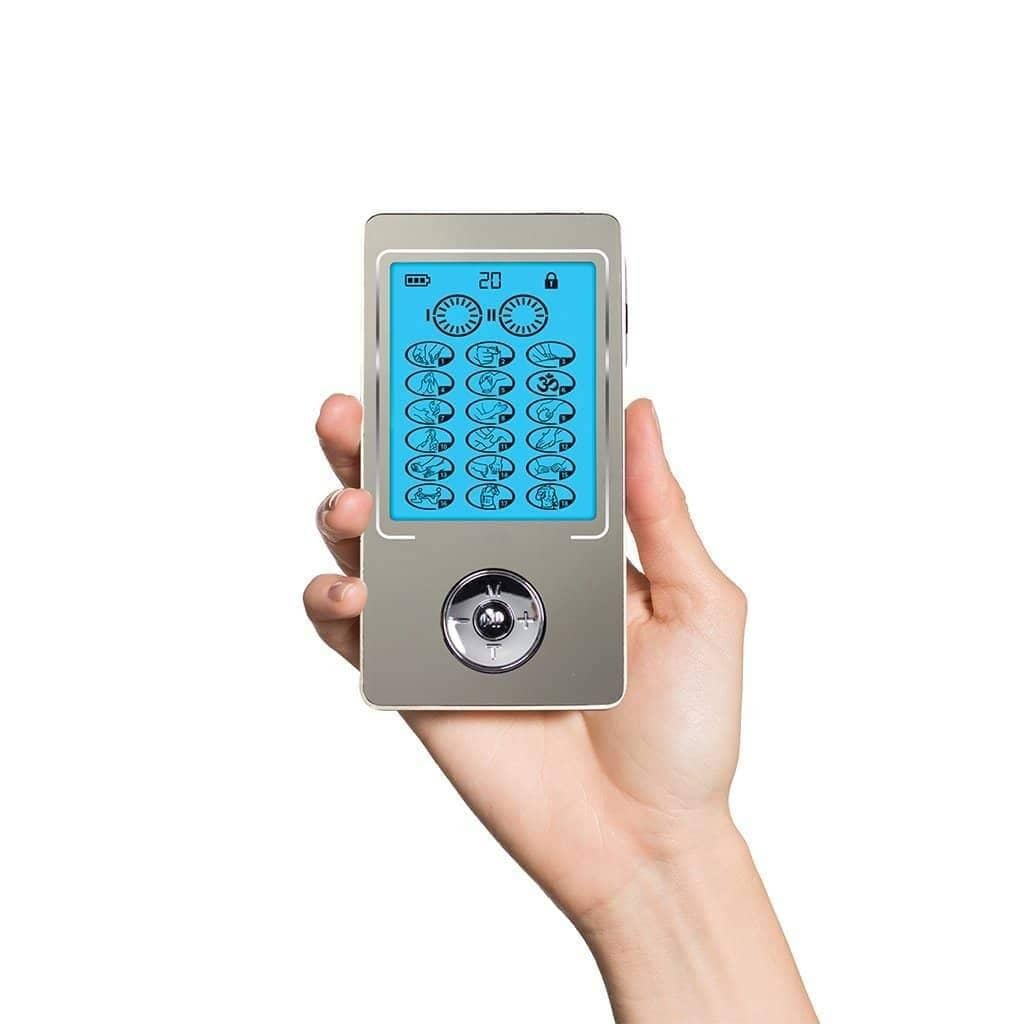
| Control unit | Full model name and a clear photograph of its identifying label. | Does the proposed accessory support this exact unit? |
| Existing lead | Both ends and any visible markings; note whether you intend to keep it. | Does the complete unit, lead and accessory combination match? |
| Pad or wearable | Item name, connection, size information and the part being replaced. | Which size, quantity and connection does the new order supply? |
| Charging item | The existing item's label or packaging, plus the device it charges. | What exact replacement is specified for that device? |
| Proposed order | Product-page link and selected option, kept beside your device record. | Are any additional parts needed, and is a control unit included? |
For example, Zarifa Large TENS Pads are listed as replacement electrode pads for compatible Zarifa TENS and EMS units. The product page asks shoppers to check the pad connector and size against their exact unit and existing lead setup. That is a matching task, not a statement that every unit uses the same pad.

Look beyond the product name
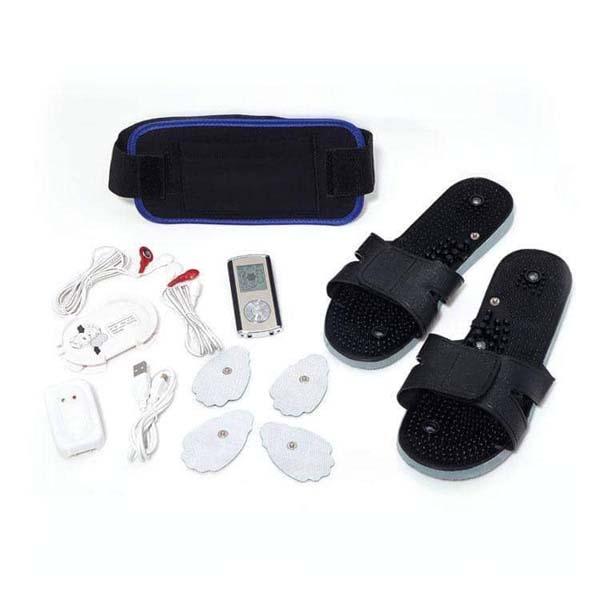
Keep the exact product page beside your worksheet. Compare its stated contents with the part you need, including quantity. Do not assume that every object shown in a gallery is supplied in every order option.
Photograph the details that need explaining
A useful photo set answers a different question in each frame. Put the model name in the same note as the pictures so it stays attached to the right device.
- The whole control unit: include its identifying label, with readable wording where possible.
- The connection area: show the visible ports or connection points you are asking about.
- The existing separate lead or cable: show both ends, rather than only the end that looks familiar.
- The accessory: include the whole item and a closer view of its connection or identifying label.
Use visible details; this record does not require opening the device casing or trying an unfamiliar connection. If the part is missing, say so. An older order record, package label or existing photograph may help identify what you previously owned.
Separate charging equipment from electrode leads
Use the item's purpose in your question. Charging equipment supplies power for charging the device. An electrode lead connects the control unit with an electrode accessory. Calling both “the cable” can leave the actual replacement need unclear.
Zarifa lists a TENS & EMS AC Adapter separately from its Large TENS Pads and TENS Unit Accessory Kit. The kit page lists electrode wires among its contents. Keep those product identities separate when asking about a replacement; this guide does not establish a connector standard or an interchangeable-model list.
Ask a question that names the complete combination
Use the record to make your request specific. The following wording works for a replacement order without requiring you to know the technical name of every connection:
“I own [exact device model]. I want to replace [part] and keep [existing lead or accessory]. I am considering [product link and selected option]. These pictures show the unit and existing parts. Please confirm the complete combination and whether I need anything additional.”
Read the answer against all three items: the unit, the parts you are retaining and the proposed order. If an answer identifies only the pad, ask about the lead as well. Save the confirmed product link and date with your note so you can return to the same option later.
Check the selected option before ordering
Once the match is clear, make three final order checks:
- Selected contents: confirm the quantity and whether the option includes a control unit.
- Current offer: review the price and availability for the exact option you intend to order.
- Applicable terms: read the shipping and return policies before checkout. An accessory order should not be a way to test an unconfirmed combination.
Shopping during Black Friday? Keep compatibility as the first decision. The current Black Friday collection is the place to check participating products and offers; an accessory mentioned in this guide is not automatically included in a promotion.
Check current Black Friday offers
For help from home, prepare the same device record for a phone conversation. If you are near Murray, ask what the team can review before planning a showroom visit. Confirm the relevant product and assistance are available rather than assuming an online listing is ready for an in-person demonstration.
Plan Murray or remote product help
Accessory-order questions
Does a similar-looking connector mean an accessory will work?
No. Use the exact device, existing lead and proposed accessory information to obtain a complete match. A photograph is useful identification evidence, but it is not a replacement for supported-model information or the matching instructions.
Does an accessory kit include a control unit?
Check the selected product's stated contents. “Accessory kit” and a device sold with an accessory option are different order descriptions. Ask explicitly when the listing or photograph does not answer the question.
What if I cannot identify my device?
Start with the visible label, original order or package information and clear photographs. Mark uncertain details as unknown. Resolve the model and replacement question before choosing a part from appearance alone.